Portable PA System Buyer's Checklist: A Non-Technical Guide (Mackie, Tower Speakers, Subwoofers)
-
Step 1: Measure the Room Before You Open a Product Page
-
Step 2: Budget for the Speaker, Then Add 20%
-
Step 3: Decide Between Portable PA and Tower Speakers Early
-
Step 4: Check Inputs Before You Check Anything Else
-
Step 5: Set Up a Monthly Scan for Loudspeaker Research News
-
Step 6: Don't Forget the Subwoofer
-
Common Mistakes to Avoid
I'm the office administrator for a 150-person company, and I manage all the AV ordering—roughly $40,000 annually across speakers, microphones, and event equipment. I report to both operations and finance. I'm not an audio engineer. I've never mixed a band or designed a sound system.
But in the spring of 2024, when we opened a new event space, the VP of Operations handed me the speaker purchase. I had about two weeks to recommend a system that our CEO wouldn't be embarrassed by at the next all-hands meeting.
Here's the checklist I built from that experience and the orders that followed—six steps, roughly in the order you should take them. This isn't a technical review. This is about the buying process: what to check, in which order, and what I wish someone had told me before I placed that first order.
Step 1: Measure the Room Before You Open a Product Page
Room size determines more than any brand name or wattage figure. I learned this the hard way when I ordered a compact PA for a 2,400-square-foot space with 18-foot ceilings. The unit sounded fine in a demo room at the shop. In our actual event space, it was thin, distant, and embarrassing.
Write down the room's dimensions, ceiling height, flooring (carpet vs. hard), and likely audience size before looking at any model. For our 150–200 person all-hands, we needed a system with real output headroom—not just something that could fill a conference room.
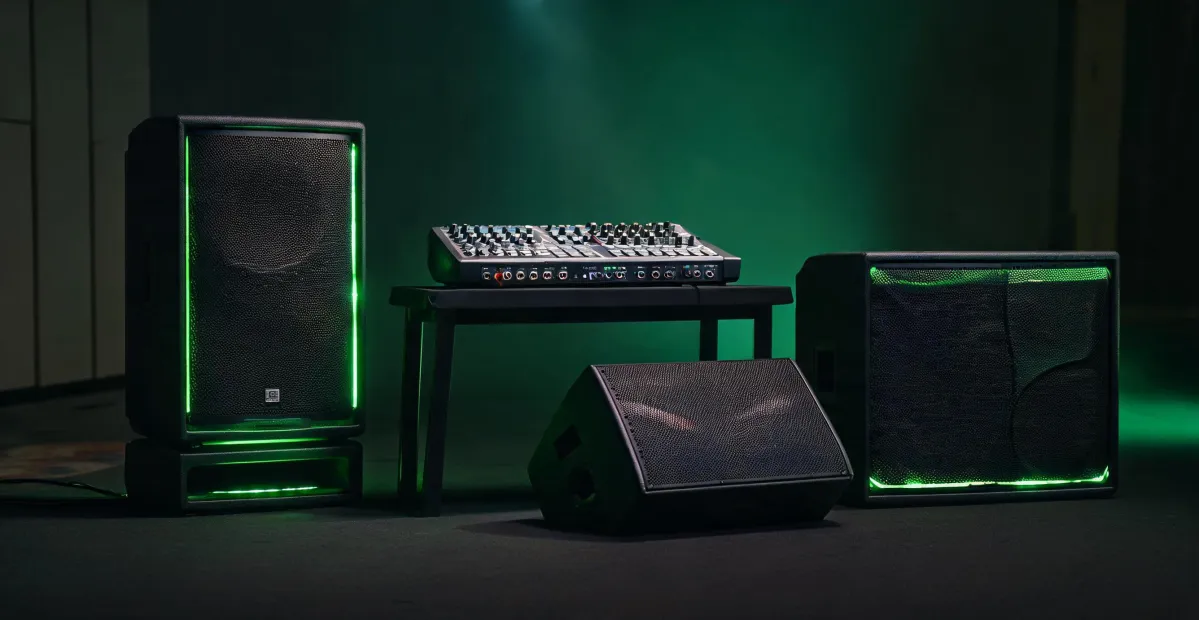
That's when the Mackie Reach portable PA system entered the conversation. I want to say Mackie rates it for audiences of up to a couple hundred people, but don't quote me on the exact number. What I can verify is that it covered our event space without breaking up when the CEO raised his voice.
If you're choosing between models, a quick rule of thumb: for an audience of up to 50, a single powered speaker can often do the job. For 100–200, you're looking at a true portable PA system. For several hundred, you're beyond what a single portable unit can handle.
Step 2: Budget for the Speaker, Then Add 20%
Most buying discussions focus on the price of the speakers. The accessories eat up more than you expect.
I don't have hard data on industry-wide accessory costs, but based on our last three audio purchases, plan for 15–20% above the speaker list price to cover cables, stands, a storage case, and a spare microphone. You might not need everything on day one. You'll need it before the first event.
Pricing notes: what I saw in Q1 2025 for the Mackie product lines ranged across dealers—some resellers price competitively, others don't. This changes fast, so verify current rates before you set the internal budget.
Step 3: Decide Between Portable PA and Tower Speakers Early
Portable PA systems are self-contained units you can wheel in, plug in, and tear down in minutes. Tower speakers are column-style systems that often look better in a permanent setup and take up less visual space.
For a company event space that hosts quarterly all-hands, portable made sense: we move the system between rooms. But if you were equipping a boardroom or a permanent auditorium, Mackie tower speakers might be a better match. That's the decision you need to make early, because it changes the budget and the vendor conversations.
The line has blurred, though. Some portable systems, including the Mackie Reach, have a tower-like form factor but still break down for transport. What was best practice in 2020 doesn't apply in 2025. The fundamentals haven't changed, but the execution has transformed.
Step 4: Check Inputs Before You Check Anything Else
This is the step I'll keep emphasizing even when I'm writing about something else. I asked for "a speaker for the all-hands meeting." The first quote came back for a Bluetooth desktop speaker. I said "portable PA." They heard "wireless conference speaker."
Result: a re-quote, a delay, and a rushed purchase. What I mean is: name the exact connections in your requirements, not just the use case. We were using the same words but meaning different things, and I learned it only when the quote arrived.
At minimum, your PA system should have:
- At least two mic inputs with phantom power (if you use condenser mics)
- A line input for an external mixer or audio interface
- Bluetooth for guest presenters or music between sessions
If the system is battery-powered, verify the run time at moderate volume. Manufacturer claims are optimistic; subtract 20–30% for real-world conditions.
Step 5: Set Up a Monthly Scan for Loudspeaker Research News
I started following loudspeaker research news and manufacturer announcements more regularly after the 2024 purchase. It's not because I've developed an interest in driver materials or waveguide design. It's because product lines get discontinued, replaced, and upgraded faster than most procurement cycles.
Five years ago, a powered PA with a built-in mixer was a niche product. Now it's the mainstream choice. Battery-powered portable systems barely existed at this scale. If your mental model of "what a PA system looks like" comes from a purchase in the early 2020s, it's probably outdated.
The best sources I've found are the manufacturers' news pages, AV trade publications, and a few reliable forums. You don't need to read everything. A scan once a month is enough to know what's current.
This is also how I stumbled onto the KEF Kube 12 MIE subwoofer, which AV integrators mention often in install discussions. I can't tell you exactly what MIE stands for in that model—I'd be guessing. But it came up repeatedly when we asked about pairing a sub with our main speakers.
Definitive Technology Uni-Fi loudspeakers are another recurring mention, especially when permanent installation matters more than portability. I want to say the Uni-Fi line has expanded over the past two years, but don't quote me on that—check current availability. The point is that a monthly scan keeps you from making decisions based on stale model lineups.
One more thing on research: manufacturer spec sheets are marketing materials. Per FTC advertising guidelines (ftc.gov), claims need to be substantiated with evidence—so if a vendor says a battery lasts 12 hours, there should be test data behind it. Still worth asking the vendor to demonstrate it in practice.
Step 6: Don't Forget the Subwoofer
Most PA systems can handle speech and mid-range music. For event spaces where video presentations, music, or the general weight of sound matters, a subwoofer is the difference between acceptable and memorable.
We skipped the sub in our first purchase to control costs. The first all-hands included a video presentation with a soundtrack that sounded thin and hollow. The rush rental for the next event cost us $400—more than a reasonable subwoofer would have cost as part of the original order. The budget choice looked smart until we heard the result. Net loss: credibility plus rental fees.
If you're considering a subwoofer, match it to the main system's output level. For our setup, the KEF Kube 12 MIE was a strong candidate because it offered room correction options and flexible inputs. But verify the specific model's connections against your mixer before purchasing—don't assume line-level inputs are universal.
The rental cost calculation is worth making on every first purchase: if the cheapest option fails during an event, what would an emergency rental cost you? Is the savings worth the risk? For us, the answer was no.
Common Mistakes to Avoid
Here are the errors I now scan for in every audio purchase:
Buying for a showroom, not your room. A speaker that sounds impressive in a large demo space can be overwhelming in a small, reflective room.
Ignoring transport and storage. If the system is too heavy or too large for your storage closet, it won't get used.
Trusting wattage as the sole spec. Wattage tells you about headroom but nothing about DSP, coverage angle, or crossover quality.
Ignoring sound level standards. OSHA's noise exposure limits (29 CFR 1910.95) are a useful reality check. Sustained volume above 85 dB in an office environment is a legitimate concern.
Ordering without testing. Rent or borrow the recommended setup and test it in your actual space before buying.
None of this requires you to become an audio engineer. It requires you to measure the room, verify the inputs, set a realistic budget, and spend an hour a month scanning loudspeaker research news. That's manageable for any administrator.

Elise Marceau
Elise Marceau is an LED display and digital-signage systems analyst covering LED video walls, modular screens, transparent LED, control processors, and indoor or outdoor signage. She applies IEC 62368-1 safety principles while comparing pixel pitch, luminance, contrast, refresh rate, colour uniformity, viewing angle, ingress protection, power density, module serviceability, and signal redundancy. Her specification guides help integrators, venue operators, retailers, and procurement teams align viewing distance, ambient light, content format, installation access, electrical load, and lifecycle support.