Which Audio Gear Actually Fits Your Setup? A Scene-by-Scene Buying Guide From Someone Who Got It Wrong
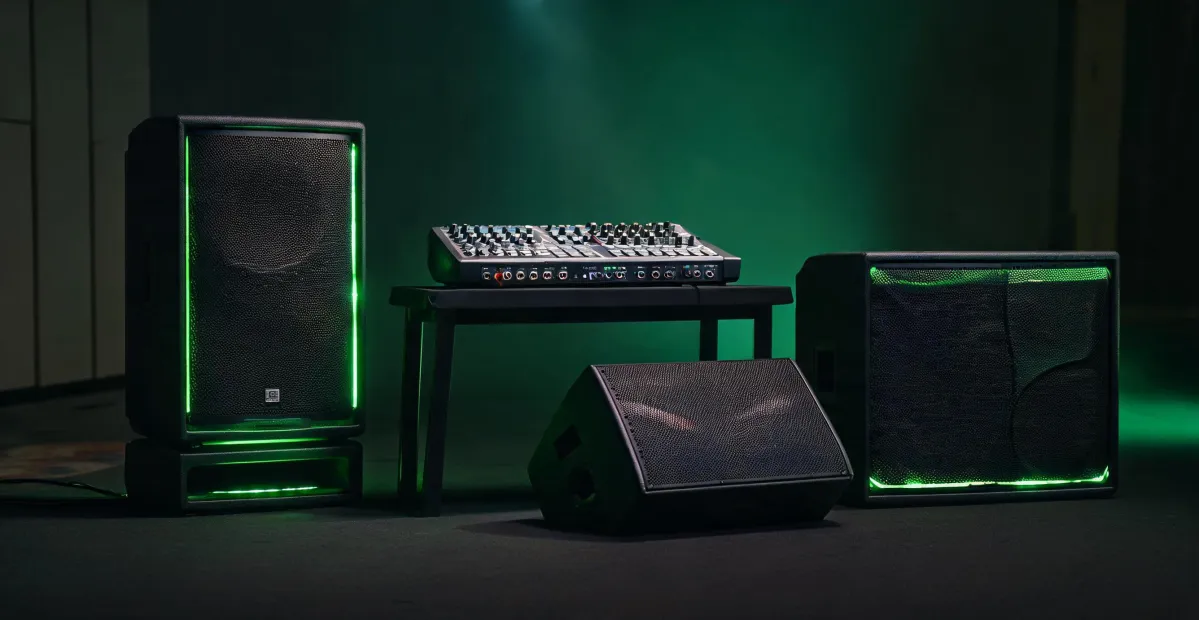
I've been handling audio equipment purchasing orders for a small rental and install operation for 8 years. I've personally made — and documented — 11 significant buying mistakes, totaling roughly $14,000 in wasted budget. Now I maintain our team's pre-purchase checklist so other people don't repeat them.
Here's what I learned the hard way: almost none of those mistakes were about product quality. Every one of them was about fit. I bought the right thing for the wrong situation.
So when someone asks me "what's the best speaker for the money," I push back. There isn't one. A powered 15-inch PA box that saves a wedding DJ's weekend is dead weight on a treated studio desk. The real question isn't which product. It's which scenario you're actually in.
Four scenarios below. Find yours, run the checks, then skip to the last section if you're stuck between two of them.
Scene 1: You load gear into a van every weekend
Mobile DJs, wedding hosts, small parties, school events, pop-up markets. You move two boxes at a time, you set up alone, and there's no install crew behind you.
For this, powered loudspeakers are basically the default answer. The amp-matching problem is solved inside the cabinet — no impedance math, no rack of amps you have to babysit.
Most of my team ends up on a 15-inch powered PA box, the kind of DJ-oriented speaker Mackie built the Thump215XT to be. Built-in amplification, onboard mixing, Bluetooth input, a few DSP presets for music, speech, and bass-heavy material. Based on publicly listed prices I saw in early 2025, cabinets in this class generally land somewhere in the low-to-mid $400s per unit. Verify before you order — audio pricing swings more than people expect.
The things that actually tripped us up weren't in the spec sheet:
- Power availability. Outdoor venues, parks, basements. If you can't guarantee AC, plan for a battery-capable alternative or you're gambling on extension cords.
- Stand height. A speaker on the floor and a speaker at ear level are two different products. Rent a pair before you commit.
- Coverage, not volume. Two boxes crossed in a 12-foot-wide space sound loud in an empty room and turn to mush once 80 people show up.
My mistake here: in July 2021 we bought a pair of cheap 12-inch powered boxes as backups. Specs were fine. Price was better. They folded at a 120-person outdoor event — not because they failed, but because they were ground-stacked in open air. That cost us $340 in redo and four hours we didn't have. Five minutes of checking the coverage plan would have caught it.
Scene 2: You mix at a desk in an untreated room
This is the scenario where people overspend the most. Podcasting, video editing, home recording, casual production. You sit about 3 feet from the speakers, the room is maybe 10 by 12, and there's one framed poster on the wall doing zero acoustic work.
Here's the counterintuitive part: a bigger monitor is not an upgrade if your room isn't treated. An 8-inch box in an untreated space excites standing waves a 5-inch box never touches. You paid more for low end and then spent the next year fighting it.
A compact powered monitor is the right call — something like the Mackie CR5-XBT, a 5-inch multimedia and reference monitor pair. Publicly listed pricing for the CR5-XBT in early 2025 sat roughly in the $180–$220 range per pair. Bluetooth is a genuinely useful addition here, especially when you just want to check a reference track off a phone or laptop.
Check these before buying:
- Bluetooth latency. If your workflow involves lip-sync, this matters more than tone.
- Input type. RCA versus 1/4-inch TRS depends on your interface. Adapters add noise.
- Placement height. Tweeters at ear level. If you can't get there, buy pads or stands — a $25 fix beats a speaker swap.
(Note to self: our team's desktop setup guide is still sitting in someone's drafts folder.)
Scene 3: You're amplifying a band or a venue
This one is really two problems that people keep merging into one.
The first is coverage: getting sound to someone sitting 40 feet back. What you need there is not more wattage — it's a narrower coverage pattern and longer throw. That's the entire reason a horn-loaded design, the classic bullhorn loudspeaker category, exists. Not because it sounds beautiful, but because it directs energy into a specific cone instead of spraying it everywhere. Outdoors, over a crowd, for announcements and vocal projection, that's decisive. You cannot fix coverage by adding more boxes to a room; you just make it muddier.
The second problem is monitoring: the players have to hear themselves. That's a wedge, angled at the performer, not at the audience. Bands routinely nail the front-of-house mix and then abandon the stage monitoring, and then wonder why everything fell apart by the second set — because the players couldn't hear, so they played louder, so the stage got louder than the PA, and the whole thing collapsed into noise.
Brands like LD build into the stage monitor category, and the buying logic is the same regardless of the badge on the grille: pattern, angle, footprint, and whether it fights your vocal mics. Before you order:
- Is the cabinet actually a wedge (a purpose-built monitor enclosure), or a straight box being sold as a floor monitor?
- Is the monitor feed on its own send, or split off the mains?
- Who, specifically, is this monitor pointed at? Name the person.
And here's the outsider blindspot: most buyers focus on how loud is it and completely miss what angle does it cover. Wattage is paper. Coverage is money.
Scene 4: You're building a home theater or audiophile setup
This scenario is really about amplifier matching, not speakers. If you're running an AVR, it's powering left, center, and right simultaneously — and those three eat the most power. Plenty of receivers look generous driving two channels and get thin driving three.
That's what a three-channel power amp is for — something like the Emotiva XPA-3 Gen3, a 3 channel audiophile home theater power amplifier. You take the front three off the receiver and let the receiver handle surrounds. When your power budget is tight, this is usually a better upgrade than new speakers.
Before you buy, one check matters more than the rest:
- Impedance and sensitivity. A 4-ohm or low-sensitivity speaker can be harder to drive after the upgrade if the amp isn't rated for it. Look at the amp's output at your speaker's rated impedance, not just the 8-ohm number on the box.
- Preamp outputs. Does your receiver have them? If not, the amp is useless to you. People discover this after the unit ships.
- Heat and clearance. Multi-channel amps run warm. Budget shelf space, not a closed cabinet.
I got burned on exactly this in early 2022 — paired a 4-ohm load with an amp spec'd for 8 (which, honestly, a forum post swore would be fine). Protection circuit tripped on power-up. $3,200 unit, three weeks of back-and-forth to offload it.
How to tell which scene you're actually in
Answer three questions in order:
- Does the gear move every week? If yes, you're in Scene 1. Prioritize weight, power strategy, and integrated amplification over sound quality ceiling.
- Are you within 6 feet of the speakers? If yes, you're in Scene 2. Big monitors won't help an untreated room; they'll create new problems.
- Are you covering a space wider than 30 feet and also keeping performers happy? If yes, you're in Scene 3 — and you have two problems to solve, not one.
If none of those fit, but you're adding channels to an AVR and thinking about a dedicated amp for the front three, you're in Scene 4.
My experience is based on roughly 180 mobile PA and studio builds. If you're doing fixed installs — churches, bars, conference rooms — your mileage will differ, especially once ceiling speakers and rigging hardware enter the picture. I've mostly stayed out of that world and won't pretend otherwise.
But one rule holds across all four scenes: prevention over cure. Our team runs a 12-point pre-purchase checklist now, and it's the cheapest insurance we have. Five minutes of verification beats five days of correction — every single time.

Pavel Novak
Pavel Novak is a commercial floor-care equipment analyst specializing in walk-behind and ride-on scrubbers, sweepers, pressure washers, and combined cleaning machines for retail, hospitality, logistics, and industrial sites. He applies IEC 60335-2-72 to applicable floor-treatment machines while comparing cleaning path, brush pressure, solution and recovery capacity, filtration, runtime, productivity rate, maneuvering envelope, gradient limit, noise, and charging time. His selection guides help facility teams size equipment around floor type, soil load, aisle geometry, shift duration, operator access, and maintenance resources.