My PA Buying Mistakes: A Mackie Gear Checklist
-
When This Checklist Applies
-
Step 1: Separate the Categories Before You Search
-
Step 2: Match the Speaker to the Space, Not the Wattage
-
Step 3: Buy the Mixer with Room to Grow
-
Step 4: Budget the Whole Chain, Not Just the Name-Brand Pieces
-
Step 5: Check the Power Plan (and the Venue's)
-
What I Wish Someone Had Told Me
I've been handling sound system orders for seven years. I've personally made (and documented) nine significant mistakes, totaling roughly $4,700 in wasted budget. Now I maintain our team's procurement checklist. This is it.
I'm a sound engineer for a small event production company — actually, I should say event production, since we do rentals and installs, not just audio. We run Mackie gear in a lot of our setups, which is why I get asked about it constantly. The questions are always the same: "Which speakers should I buy?" and "Is this mixer worth it?"
Here's the short version — five steps: know the categories, match the speaker to the space, buy more mixer channels than you need today, budget the accessories before the budget's gone, and check the venue's power. The details below are where I lost the money.
When This Checklist Applies
Use this if you're building a PA system for a venue, church, or event space; expanding a rental inventory; or replacing old gear and wondering what's actually worth upgrading. This isn't about comparing every brand on the market. It's the process we use before spending money on any brand — Mackie included. Five steps, plus the mistakes I keep seeing.
Step 1: Separate the Categories Before You Search
This is the step everyone skips, and I was the worst offender.
There's a real difference between a loudspeaker, a megaphone, a studio monitor, and a hi-fi amplifier. Searching "loudspeaker megaphone speaker" won't get you what you need. A megaphone is for one-way voice projection: crowd control, emergency announcements, sideline coaching. A loudspeaker has to reproduce music, handle dynamics, and cover a room. Not interchangeable. (A client once asked if we could use a bullhorn instead of bringing a PA for an outdoor activation. No. Just... no.) I'd rather spend ten minutes explaining the difference than face a mismatched setup later — an informed customer asks better questions and makes faster decisions.
And if you type "power amplifier" into a search box and land on a Hovland Sapphire EL34 40-watt tube amp, step away. It might be a gorgeous piece of hi-fi gear, but it was never designed for PA work. 40 watts of tube power can sound heavenly in a living room. It will not get you through a wedding reception with 150 guests. I've watched this exact confusion happen: somebody searches too broadly for "amplifier," gets a hi-fi result, and comes back asking whether a four-figure tube amp would work for a band's practice space. The answer is no, and now you know why.
The searches you actually want are specific: "powered loudspeaker," "PA mixer," "subwoofer for live sound." Know the category before you know the brand.
Step 2: Match the Speaker to the Space, Not the Wattage
Wattage is the most abused spec in live sound. I don't have hard data on industry-wide wattage inflation, but based on our rentals and repairs over the years, my sense is that a big chunk of budget powered speakers don't produce their rated output cleanly.
Everyone told me to match the speaker to the room, not the wattage. I only believed it after I ignored that advice and put a pair of off-brand speakers with a combined 1,200 watts into a room that needed 800 watts of clean coverage. They clipped, they ran hot, and that $900 pair sounded worse than the $400 system it replaced. A lesson learned the hard way.
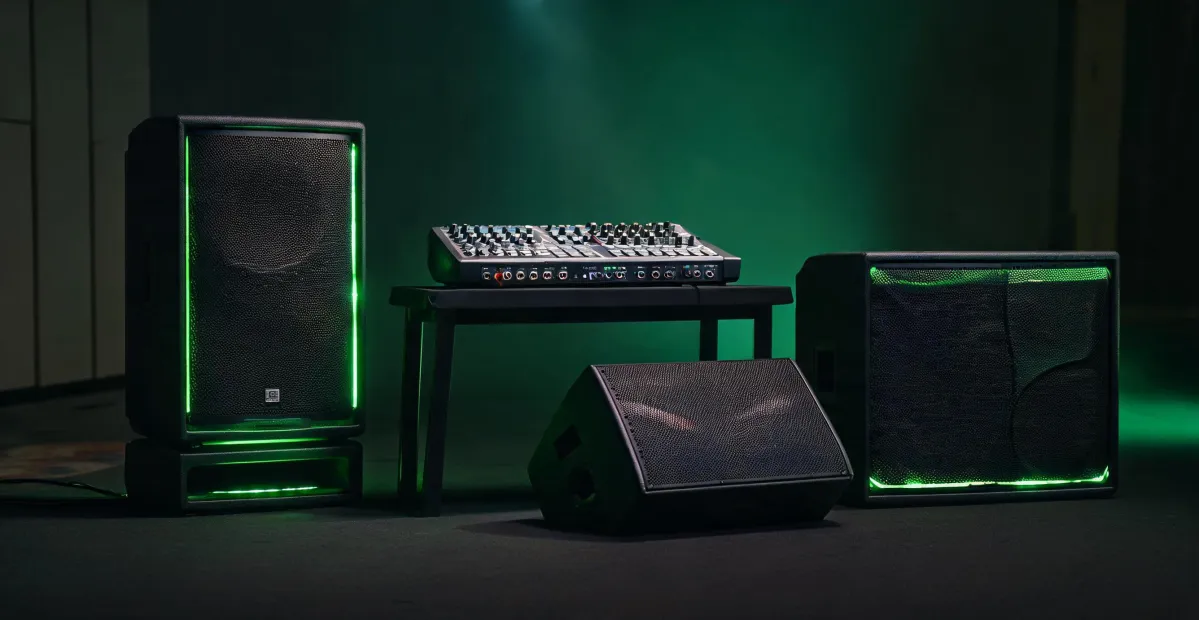
For the Mackie Thump212 specifically: it's a 12-inch powered loudspeaker rated at 1,300 watts peak, according to Mackie's published specs (mackie.com). Peak power claims are marketing territory, though. The number that matters more is how it behaves when pushed. In our rental fleet, Thump212s handle 150-300 people well for speech, and 100-200 for music when paired with a sub. We have four in continuous rotation and they've held up. They won't win an audiophile contest — and that's not their job.
The review pattern for the Thump212 is remarkably consistent. People who use it as a budget workhorse within its limits are happy. People who expect it to replace a $1,500 speaker are disappointed. That's not a speaker problem — that's a spec-matching problem. Read the reviews, but read them through that filter.
Step 3: Buy the Mixer with Room to Grow
This is where the Mackie ProFX16v3 comes in.
I've bought a mixer with exactly enough channels for today's inputs. Twice. The first time, we added two wireless mics the next month and suddenly had a 22-input show on a 16-channel board. The second time, a client brought a playback laptop and we gave up a channel to make room. We rented a bigger mixer at short notice on both occasions (which, honestly, is an expensive way to learn math).
The ProFX16v3 gives you 16 channels. In practice, that covers a full band, three or four vocal mics, a couple of instruments, a playback laptop, and an interview mic — with a channel or two left for the surprise input. One catch: 16 channels means 10 mic preamps, and the rest are stereo line inputs. If you need 12 microphones, this isn't your board. Read the input spec, not the model number.
Street price for the ProFX16v3 was running around $399-449 depending on the retailer (based on quotes we got in Q1 2025; verify current pricing). Prices move — I've seen this board shift $40-50 at the same store within a year.
The built-in effects are usable. I was skeptical, and they're noticeably better than older implementations in Mackie's previous mixers. The USB recording output means we don't need a separate interface for livestream captures — that saved us $150 and one more power supply to manage. And the v3 mute switches per channel sound minor until you're on stage in a hurry.
Step 4: Budget the Whole Chain, Not Just the Name-Brand Pieces
Here's my most embarrassing story.
I approved a purchase order with a great pair of speakers and a mixer. But the team still needed cabling, two speaker stands, and a power conditioner. The good stands looked expensive. I found "budget" ones and didn't verify they could really support the speakers. (The math said yes, barely. Real-world wind at an outdoor event said no.) A stand collapsed during setup. Nobody was hurt, but a speaker hit concrete, and the repair bill was higher than the good stands would have cost.
Saved $60 on stands. Spent $210 on a replacement grille and cabinet repair. The penny-wise, pound-foolish trap — I fell into it with both feet.
Now the rule: every speaker and mixer purchase includes a line for stands, cables, a power conditioner, and a padded cover. That adds around $150-200 to a typical order — maybe $180, I'd have to check the last few POs — but it's the line item that has kept us out of trouble since. If the total pushes over budget, we downsize the speakers before we compromise the mounting hardware.
A $600 speaker on a $40 stand is a liability, not a bargain.
Step 5: Check the Power Plan (and the Venue's)
This one is subtler, but it kills first gigs.
Powered loudspeakers — including the Thump212 — have built-in amplifiers. That means each speaker needs a wall outlet. We once delivered a system to a venue that had exactly one working outlet where we needed to power four speakers, a mixer, and two wireless receivers. The venue was a hundred years old. The breaker was not interested.
We spent an hour and $47 on extension cords, power strips, and gaffer tape, and the client watched us run an orange cord through a doorway. It worked. It looked terrible. My rule now before every install: count the outlets, check the breaker, and carry one heavy-duty 25-foot extension cord in every truck. (Should mention: if the venue truly has no practical power where you need it, Mackie's Thump Go is a battery-powered PA — we use one for outdoor vendor events and it beats any generator setup we've tried.)
Phantom power is the other classic. The ProFX16v3's 48V phantom is global, not per-channel — same as most mixers at this price. If you plug in a ribbon microphone that can't take phantom power and hit that button, well. A colleague of mine learned that with a $400 mic. Our checklist now includes "confirm which mics are dynamic, which are condenser, which are ribbon" before every setup. The number of ribbon mics in our rental inventory since then: zero.
What I Wish Someone Had Told Me
First, the "megaphone speaker" search is a trap. If you want a battery-powered PA or a portable speaker, don't search "loudspeaker megaphone speaker" — you'll get safety megaphones that sound terrible for music. Search for what you actually need: "battery-powered PA speaker" or "portable PA system."
Second, cheap power amplifiers from the wrong category are expensive mistakes. If a hi-fi amp like the Hovland Sapphire EL34 40W shows up in your results, read the category before you read the reviews. It's genuine high-end gear, with a price to match — and it won't help you at a school gym. Give it a home in a listening room, not a PA rack. The same lesson applies to rack power amps: check impedance and output against your passive speakers before buying. Ignoring that cost us a pair of 12-inch drivers, about $300 in recone work, and a week of lost rental income.
Third, prices move. The ProFX16v3 has shifted $40-50 over the past year. The Thump212 has wandered between $299 and $349 in our order records for 2024-2025. Treat any price you see online as a reference point, not a quote — and get current numbers before you plan a client's budget.
Fourth, pay attention to loudspeaker news before assuming older gear is "better." The last two years brought real gains in budget powered speakers: better DSP, more reliable Bluetooth, battery options. If you're looking at used 2015 gear because the price is low, compare it against current entry-level speakers before you commit. I say this as someone who bought three used speakers in 2022 and has spent the time since trying to convince myself it was a good decision. (They work. They work much worse than a new pair would.)
That's the checklist. I don't have hard data on how much it has saved us, but I can say this: we've had no gear-spec failures since I implemented it in early 2024. Roughly 90 shows in 14 months, zero category-confusion disasters.
I documented my mistakes so I wouldn't repeat them. Use this checklist and skip the expensive part.

Elise Marceau
Elise Marceau is an LED display and digital-signage systems analyst covering LED video walls, modular screens, transparent LED, control processors, and indoor or outdoor signage. She applies IEC 62368-1 safety principles while comparing pixel pitch, luminance, contrast, refresh rate, colour uniformity, viewing angle, ingress protection, power density, module serviceability, and signal redundancy. Her specification guides help integrators, venue operators, retailers, and procurement teams align viewing distance, ambient light, content format, installation access, electrical load, and lifecycle support.