Mackie Speakers, Mixers & Subs: A Cost Controller's FAQ
-
Is the Mackie Thump 15A actually a good deal, or just cheap?
-
Is an 18-inch Mackie subwoofer worth the extra expense for a small rental company?
-
Should I always buy the latest professional speaker technology?
-
Do I really need a big audio mixer for a small band or pop-up event?
-
How do I connect a karaoke audio mixer to a TV?
-
What's the hidden cost of buying cheaper audio gear?
-
When should you NOT buy Mackie?
These are the questions I get the most when our team specs gear for live events and small installs. I'm the guy who signs the purchase orders, not the engineer who tunes the system—but I track every dollar, every repair, and every returned unit. So this isn't a marketing pitch. These are answers based on six years of managing a procurement budget of about $60,000 a year.
Is the Mackie Thump 15A actually a good deal, or just cheap?
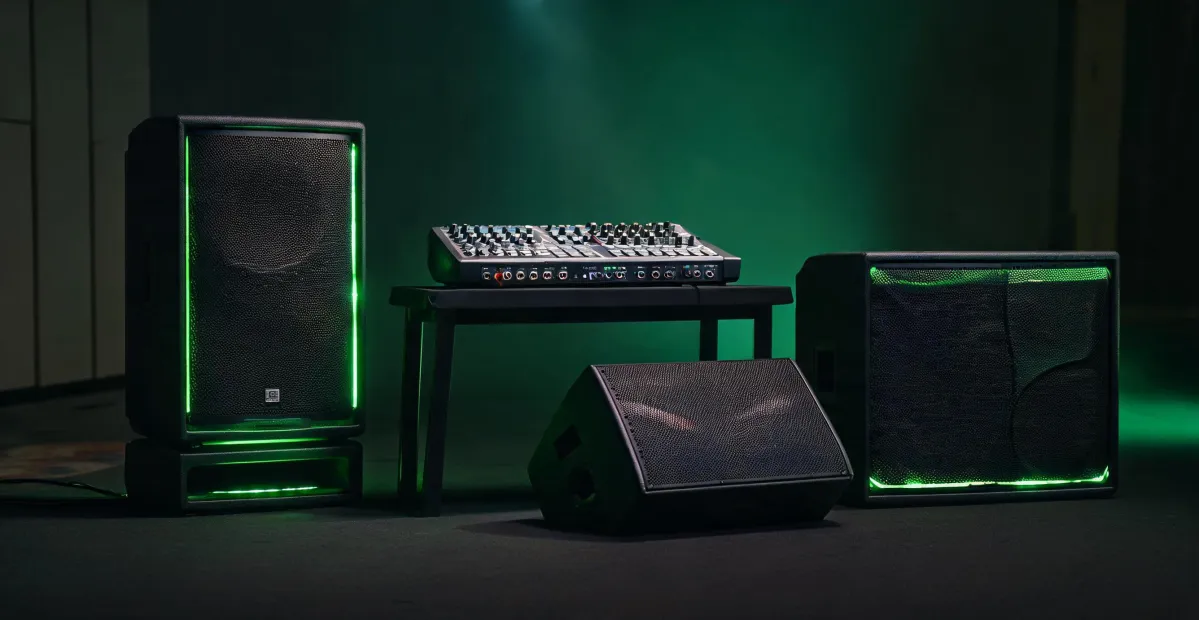
I get asked this a lot. The Thump 15A is a full-range powered speaker that's become a staple in mobile PA setups. As of early 2025, street pricing in the U.S. was around $399–$449 per cabinet (based on publicly listed prices), depending on whether you catch a sale. That's a price point that makes your accountant smile. But here's the thing: the real cost isn't just the invoice. It's how many times you have to replace it, how heavy it is for your crew, and how it sounds after a year of weekend use. We've had two Thump 15A units in our rental fleet for about a year. One came back with a dented grille (not the speaker's fault), and the other has been driven hard at outdoor events and is still working. In my opinion, the Thump 15A is a great investment if you're doing DJ gigs, speeches, or small bands—but not if you're mixing a reference-grade studio session. Also note: it's a powered speaker, so you don't need a separate amp. That saves money and rack space. Just make sure you've got a decent EQ in your chain, because the built-in presets aren't a substitute for a proper mixer.
Is an 18-inch Mackie subwoofer worth the extra expense for a small rental company?
For most of the events we do, I'd say yes. A sub adds the low end that makes a sound system feel professional, and our 18-inch Mackie sub is one of those items that's carried its weight. You can find the standard 18-inch powered sub in the $700–$900 range, depending on the retailer and whether you buy new or used (used market listings, fall 2024). That's not cheap, but what I mean is that taking the bass load off your full-range tops stops them from getting blown. Replacing a driver costs more than the sub upgrade. One caution: a sub is heavy and awkward to move. Factor in the labor cost for your crew. We bought a used one and spent $450 in repairs after the cabinet cracked during transit. That was a penny-wise, pound-foolish move on my part—should've bought the road case with it. If you expect to move it weekly, budget for a case.
Should I always buy the latest professional speaker technology?
The word "latest" can be a trap. A new version might have a new DSP chip or a different cabinet shape, but the core speaker technology hasn't quantum-leapt since, say, 2020. I've sometimes waited for a new model only to realize the previous model dropped in price and its rated specs weren't that far from the new one. What I look for is a model that's been out for at least six months, so field reviews are in and any initial production issues are solved. In my opinion, "latest" doesn't mean "best for your event"; it means "most likely to be back-ordered." Our workflow prioritizes availability and proven reliability. Unless your rider specifically says you need the newest version, a solid previous-generation speaker can give you 90% of the performance at 70% of the cost. And that 10% difference is usually something only an audio engineer with a measurement mic would hear—which isn't you or me, honestly.
Do I really need a big audio mixer for a small band or pop-up event?
I've been on too many proposals that say "we need a big mixer because we want to look professional." That's backwards. A big mixer with only a few active channels is a lot of unused real estate. The cost isn't just the unit itself—it's the bigger rack, the extra cables, the bigger board to transport, and the technician time to learn the routing. For a standard band, I'd look at the number of mic inputs you actually use, then add 20% headroom. That's your number. A 16-channel mixer might be perfect for a 4-piece band, while a 24-channel board is overkill unless you're running a full ensemble with in-ear mixes. Mackie's Onyx16 or the older VLZ4 series can be solid picks depending on your setup. We used the Onyx16 for a jazz brunch gig, and it was fine. The point is to match the mixer to the event, not the ego. And if you must buy big, buy a mixer that doubles as a USB recording interface—that's a cost saver.
How do I connect a karaoke audio mixer to a TV?
This one surprises me, but it comes up often. The trick isn't the mixer; it's the audio routing. Most modern karaoke mixers—whether it's a compact two-channel mic mixer or a bigger board—output line-level audio through 1/4" or RCA jacks. If your TV has RCA audio inputs (the red and white jacks), you're ready to connect directly. But many modern TVs don't have them. Here's the next step: get an HDMI audio extractor. Plug the TV into the extractor, and it converts the TV's audio to an RCA or optical output. Then connect that to your mixer. You'll need a basic DI box or adapter for the cable types to match. A simpler route: some newer karaoke-specific mixers include a USB or Bluetooth connection that pairs with the TV. The only thing you need to be careful about is audio delay—wireless connections can cause lag between the music and the singer. For critical use, go wired. This isn't a cost trap if you read the mixer manual first. I once saw a buyer order a high-end mixer thinking it had HDMI, and it didn't. That's a communication failure between the buyer and the vendor, and it cost us a morning of returns. My advice: always ask the vendor, "Does this mixer accept audio from a TV?" before paying.
What's the hidden cost of buying cheaper audio gear?
This is the one I wish more buyers asked before signing a PO. Sure, you can save 25% upfront with an off-brand or bottom-tier speaker. But the total cost of ownership includes: failed units during a paid show (that's lost reputation and potential refund), the extra time spent troubleshooting, the shorter warranty period, and the lack of ready replacement parts. I've seen a $300 speaker cost $600 in lost bookings when it died mid-event. My rule of thumb: factor in a "cost of failure" of at least 20% of the purchase price. If you're booking out gear 30 times a year, even a 1% failure rate becomes a real thing. The cheap option can be the expensive one in the long run. That's not to say expensive is always better—just that the lowest bid isn't the final price.
When should you NOT buy Mackie?
Let's be honest: Mackie works for a huge range of applications, but it's not the first brand I'd reach for if you're building a permanently installed system for a concert hall that needs precise, flat frequency response. In that case, you might want to explore a more neutral-sounding, install-oriented system. That's not the popular answer, but it's the honest one. For the 80% of small venues, rental houses, and mobile performers, Mackie delivers the value and reliability that fits a budget. How do you know you're in that 80%? You use your speakers on portable stands, you're moving them between rooms or trucks, and you want to be able to expand the system by adding another Mackie component later. If that sounds like you, I'd put Mackie on your list. If you're setting a fixed system in a sanctuary with impeccable acoustic demands, do yourself a favor and ask a system designer who's not tied to one brand. That's okay—there is no single perfect gear for everyone.

Elise Marceau
Elise Marceau is an LED display and digital-signage systems analyst covering LED video walls, modular screens, transparent LED, control processors, and indoor or outdoor signage. She applies IEC 62368-1 safety principles while comparing pixel pitch, luminance, contrast, refresh rate, colour uniformity, viewing angle, ingress protection, power density, module serviceability, and signal redundancy. Her specification guides help integrators, venue operators, retailers, and procurement teams align viewing distance, ambient light, content format, installation access, electrical load, and lifecycle support.