Mackie Portable PA Systems: A 6-Step Setup and Buying Checklist for Company Events
-
Step 1: Walk the room before you buy anything
-
Step 2: Pick the speaker format that matches the room
-
Step 3: Do the new vs. used math honestly
-
Step 4: Buy the mixer last, not first
-
Step 5: Use the subwoofer crawl method for placement
-
Step 6: Test every cable and connection twice
-
Common mistakes I've made so you don't have to
-
The bottom line
When I took over purchasing for our office in 2021, the first thing I learned is that audio equipment isn't like office chairs. You can't look at a product photo, guess the size, and hope for the best. You also can't trust that "portable" means "fits in the trunk" until you've actually carried it up two flights of stairs.
I manage AV ordering for a 120-person company—roughly $15,000 a year across six vendors. I report to both operations and finance, so I get questions from both sides: "why did this cost that much?" and "why did we buy something that doesn't work?"
This checklist is for people like me: administrators, office managers, event coordinators—the ones who suddenly find themselves in charge of sound. Six steps, in the order that works. If you skip the first two, the rest won't matter.
Step 1: Walk the room before you buy anything
This sounds obvious. It's not. For my first company sound setup, I was given a room's square footage by an event organizer and bought a system blindly. I didn't ask about the ceiling height, the lack of carpet, or the floor-to-ceiling windows on one side. Result: muddy sound and an echo that made announcements unintelligible.
Now I spend 30 minutes in the room before I even look at products:
- Measure it myself. Don't trust the event organizer's number. They're not thinking about the pillar in the middle.
- Note the ceiling height. Rooms over 12 feet eat output. A system that covers 60 people in a low conference room is a whisper in an atrium.
- Feel the floors and walls. Carpet absorbs. Concrete reflects. Tile plus windows equals echo.
- Map the power outlets. I've learned this the hard way when the only outlet was 40 feet from where we wanted the speaker.
Checkpoint: if you can't answer "what's the square footage, ceiling height, and floor material?" without checking your notes, you're not ready to buy.
Step 2: Pick the speaker format that matches the room
People Google "PA speaker" and fall down a rabbit hole. For company events, there are really two categories.
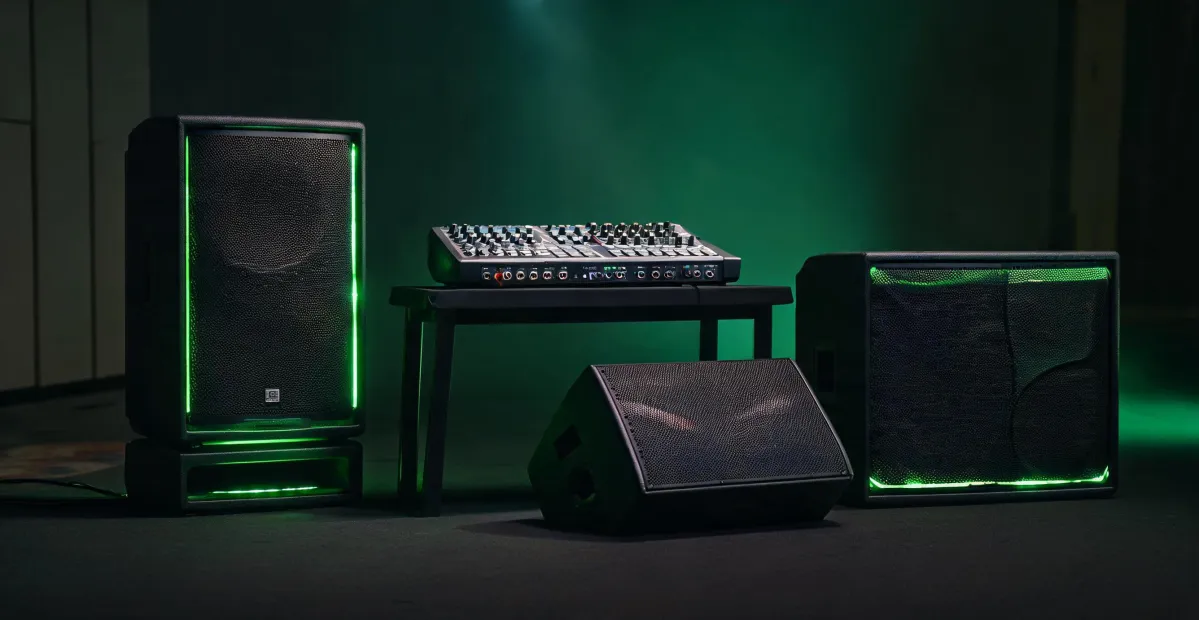
Traditional powered speakers (like the Mackie Thump series) are a box on a pole. They work fine, are easy to find used, and are dead simple to set up. Portable column PA systems (like the Mackie SRM Flex) are a vertical array sitting on an integrated base, often battery-powered, often with a built-in mixer. They cost more, are way easier to move, and blend in visually at a corporate event.
My ballpark rule: under 500 sq ft and 20-40 people, a single powered speaker is usually fine. At 500 to 1,500 sq ft and 40 to 100 people, look at a column system or two traditional speakers. Anything larger, add a subwoofer—or call an AV professional.
I spent a long time evaluating the Mackie SRM Flex because it sits squarely in that middle range. It's battery-powered, which is a huge deal when venue outlets are awkwardly placed. It has a built-in mixer with Bluetooth, and it folds into something you can carry like a slightly heavy suitcase. It retails around $1,100 as of January 2025—verify current pricing at mackie.com because prices have been moving.
The trade-off is real though: a column system costs noticeably more than a comparable pair of traditional powered speakers. The upside is that you'll actually use it because moving it isn't a chore.
Step 3: Do the new vs. used math honestly
There's a genuine market for used Mackie gear because the stuff lasts. The Thump GO, in particular, gets sold off by rental companies when they refresh their inventory. A used Mackie Thump GO powered speaker can be a great deal. "Can be" is doing a lot of work in that sentence.
When I bought a used Thump GO in 2023, I saved about $150 versus new. The upside was clear. The risk: no warranty, no way to verify how the previous owner treated it. I kept asking myself: is $150 worth potentially replacing this in six months? Even after choosing the used unit, I second-guessed. What if the battery only held a 45-minute charge? The week until I could run a full test was stressful. I didn't relax until it ran for three hours straight.
Here's my used-gear checklist, refined from that experience:
- Verify the serial number with Mackie support. They can tell you the production year and service history. If the seller dodges this, that's a red flag.
- Test the battery specifically. Play music at moderate volume and time how long it lasts. If a battery-powered speaker can't hold a charge, "portable" is a lie.
- Check the firmware version. Older firmware on used units can have quirks, and updating may require a service trip.
- Confirm the original AC adapter is included. Third-party chargers for powered speakers are notorious for humming.
- Ask for proof of purchase if they claim warranty coverage. "I lost the receipt" doesn't help you.
If those checks feel like too much work, buy new. The peace of mind is worth $150 when you're putting this in front of your CEO.
Step 4: Buy the mixer last, not first
This one's counterintuitive, but trust me. People buy a 16-channel mixer and then discover they needed four inputs. Or they buy a tiny two-channel interface and then realize the guest speaker needs a lavalier mic and the CEO needs to plug in a laptop at the same time.
Count your inputs first. How many microphones? A host plus one presenter is already two. Any guest speakers with their own gear? Does anyone need to hook up a laptop or phone? Any instruments? Probably not, but ask.
Whatever number you come up with, add two spare channels. If you've been searching "mixer x7 audio" or "small audio mixer" while researching—those searches pop up a lot for compact 6-8 input mixers—know that the input count matters more than the brand. Mackie's Mix Series and ProFX Series fit this niche well. But the mixer is not the starting point. The room is. The speakers are. I do not recommend selecting a mixer until you've answered the input-count question. It's the last piece, not the first.
Step 5: Use the subwoofer crawl method for placement
If your system includes a subwoofer, placement matters more than any other speaker. The main speakers can sit wherever and they'll be fine. The sub is different. Room modes, boundaries, and reflections make low end sound boomy in one corner and nearly absent in another.
The crawl method isn't new—audio engineers have used it for decades:
- Put the subwoofer where you think it belongs.
- Play a repetitive bass-heavy track at reasonable volume. A simple kick drum works best.
- Crawl around the room at ear level (yes, on your hands and knees) and listen for where the bass is most even and full.
- Mark that spot with tape. That's where the sub goes—you're not keeping it where you first put it; you're moving it to where your ears were.
- Re-check from the stage area and a few corners. Adjust volume and phase if needed.
I did this in our conference room and the difference was night and day. Same sub, same song, opposite corner of the room. It feels ridiculous while you're on the floor, but it works.
Checkpoint: do this before the event, not during soundcheck.
Step 6: Test every cable and connection twice
I said "portable PA system." The vendor heard "a Bluetooth speaker." Result: we expected coverage for 60 people and got a speaker the size of a thermos. That genuinely happened in my first year. It taught me to be explicit about what I'm buying.
The most common failure at an event isn't the speaker or the mixer, though. It's the cable. The unbalanced quarter-inch cable with a broken solder joint that's been sitting in the bag since last summer. The one nobody tested because "it was already loaded."
So before every event, I do a full dry run the day before. Power everything on with all cables connected. Run music through every input channel. Walk the room to confirm coverage. Unplug the battery-powered speakers and make sure they actually run on battery. Confirm spare cables exist—at minimum one XLR, one quarter-inch, and a power strip. And check whether the room's outlets share a circuit. If the coffee machine and the PA system are on the same breaker, one of them is going to trip.
(note to self: last year I forgot the backup XLR and spent 45 minutes in a shop trying to find a working one. never again.)
Common mistakes I've made so you don't have to
Buying without seeing the room. I said this in step 1 and I'll say it again: the room determines everything. I still own a speaker that's overkill for our usual space and perfect for a gymnasium we don't actually use.
Underestimating setup time. You will not set up a PA system in ten minutes. Budget 45 minutes for a simple system, 90 if there's a sub.
Forgetting the subwoofer phase switch. If your kick drum sounds hollow at the mix position, flip the 0/180° phase switch. Takes two seconds and fixes a surprising number of problems.
Assuming the venue has audio gear. Ask. Some venues have basic PA built in, and you can show up with just a mixer and a cable box. I've rented rooms with full systems and carried nothing but gaff tape.
Searching "PA speaker" and ending up with a consumer Bluetooth speaker. It happens more often than you'd think, especially with tight budgets. A PA speaker is a professional loudspeaker built to project over a crowd. A Bluetooth speaker won't do that. My nephew searched "PA speaker" the other day and asked if I could buy him the Animal Crossing furniture item—different universe entirely. If that's you, enjoy the game. For everyone else, this checklist is your next step.
The bottom line
Portable PA for company events doesn't have to be complicated. Six steps: walk the room, pick the right format, do the new-versus-used math with your eyes open, buy the mixer after you count inputs, crawl for sub placement, and test everything twice.
Our current setup—one SRM Flex, a compact mixer, cables, and a spare power strip—cost about $1,400 in 2024. I can set up sound for a 60-person event in about 30 minutes now. The event coordinator no longer looks at me with panic in her eyes.
If you're buying your first system, start with the room. Everything else follows.

Elise Marceau
Elise Marceau is an LED display and digital-signage systems analyst covering LED video walls, modular screens, transparent LED, control processors, and indoor or outdoor signage. She applies IEC 62368-1 safety principles while comparing pixel pitch, luminance, contrast, refresh rate, colour uniformity, viewing angle, ingress protection, power density, module serviceability, and signal redundancy. Her specification guides help integrators, venue operators, retailers, and procurement teams align viewing distance, ambient light, content format, installation access, electrical load, and lifecycle support.